

MAITO Translation Software
Translate Everything.
Share Nothing.
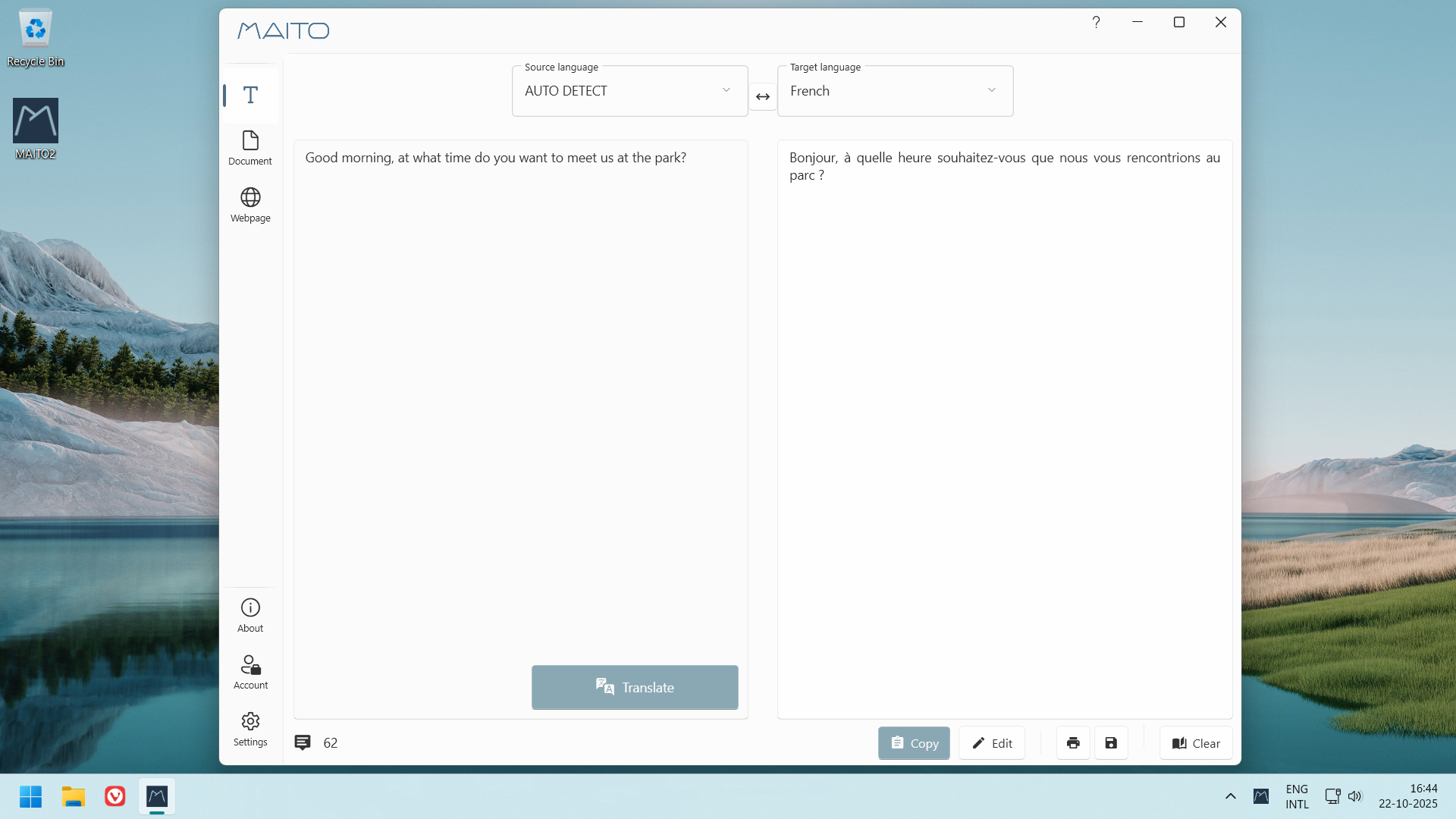
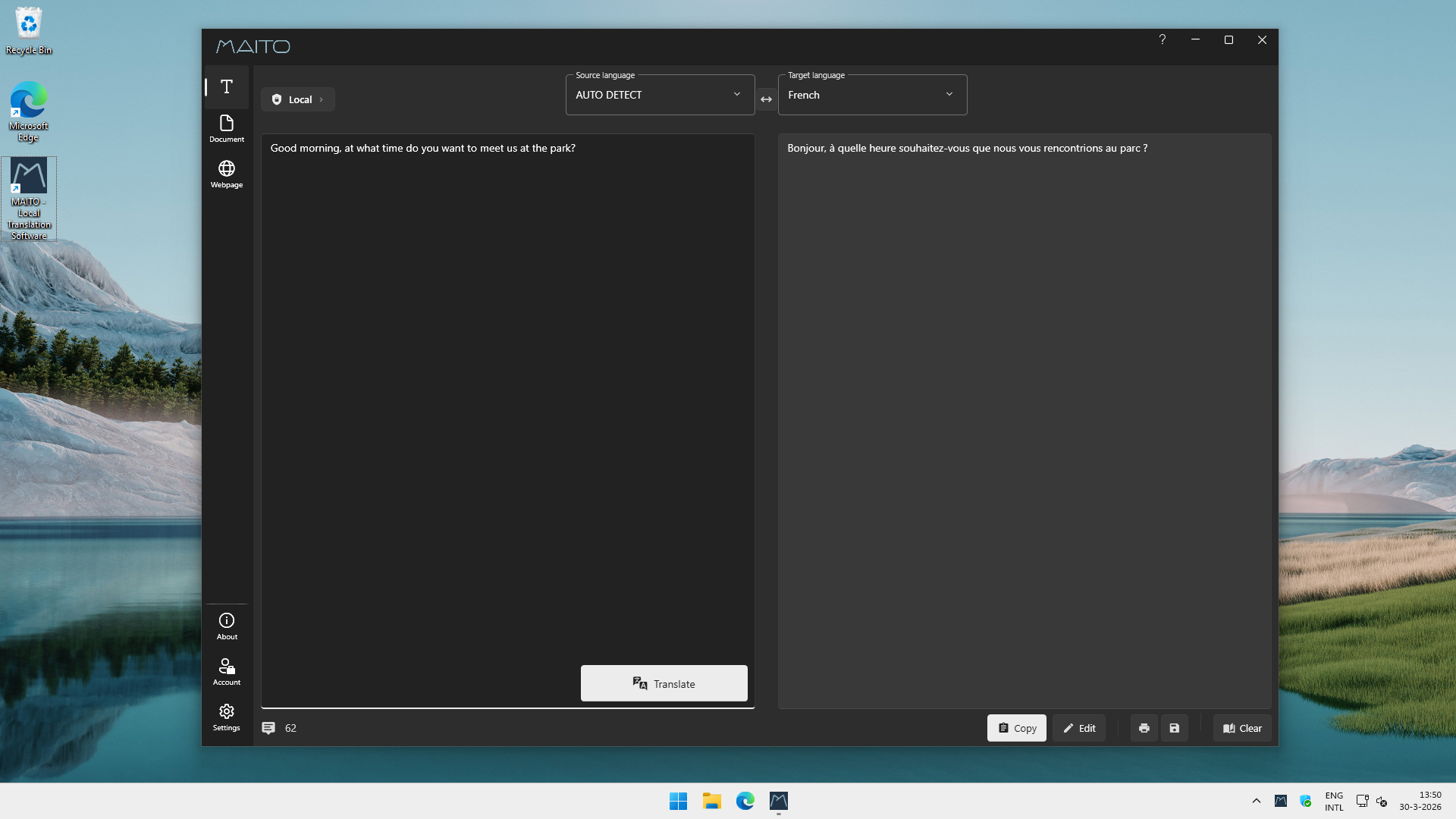
MAITO is a complete platform to support all aspects of translating: from snippets to documents to webpages. Buy once, own forever. It features a state-of-the-art fully local AI translation engine, built right in.
What is MAITO?
Privacy-first translation, built for Windows
MAITO gives you a full translation workflow in a single Windows desktop application. At its core is a built-in local AI engine that processes everything on your hardware. Nothing leaves your device, no internet required.
The application handles three translation modes: text snippets via a system-wide hotkey, full documents (.docx and .pdf with layout preservation), and website content distilled to relevant text with no distractions. It supports 32 languages in local AI mode and 30+ via the optional DeepL integration.
MAITO was built as a direct response to the subscription fatigue and privacy erosion of cloud translation tools. The philosophy is explicit: your data is yours, your focus is yours, your translations are yours.
Who it's for
- Privacy-conscious users who handle sensitive or confidential documents
- Power users and professionals who want to pay once and translate forever
- Offline workers and travelers who need reliable translation without internet
- Windows desktop users who prefer dedicated apps over browser-based tools
Local AI Translation Engine
Uses optimized AI models running entirely on your device. No internet connection required during translation. Your documents never leave your machine. Complete privacy, zero ongoing cost. 32 languages supported in offline mode.
Document Translation (.docx and .pdf)
Translates Word documents and PDFs while preserving the original layout and formatting. Receive a translated document, not a wall of text. No reformatting needed.
Snippet Translation via System-Wide Hotkey
Translates any selected text from any application using a configurable hotkey (default: CTRL-C + C). No context switching, no copy-pasting into a browser tab. Translate from wherever you are.
Dual-Engine: Local AI + Optional DeepL
Choose between the built-in local AI engine and DeepL's API on a per-translation basis. Privacy and offline capability by default, with optional professional-grade accuracy when it matters.
Website Translation
Fetches relevant content from a URL and presents it translated, stripping navigation, ads, and distractions. Focused reading: only the content you want, in your language.
Setup
How it works
From download to first translation in four steps. The onboarding wizard handles all the technical setup. Read the setup guide →
- 1
Download and install
Run the ~142 MB installer. It handles all dependencies automatically.
- 2
Choose your translation engine
Pick local AI (offline, private, included) or connect a DeepL API key. The onboarding wizard explains the trade-offs.
- 3
Download AI models
The wizard downloads and benchmarks models against your hardware to select the best fit (3.2–4.6 GB, one-time).
- 4
Start translating
Use the main interface for documents and URLs, or press CTRL-C + C to translate selected text from any application.
Pricing
One license, one computer. Includes the full application, built-in local AI engine, unlimited offline translations, and free minor updates. No subscription, no usage limits, no hidden costs.
- Built-in local AI engine: 32 languages, fully offline
- Document translation with layout preservation (.docx, .pdf)
- Optional DeepL integration (bring your own API key)
- 14-day free trial, no credit card required
- 30-day satisfaction guarantee
Under the hood
Technical highlights
Zero network requests during translation
The local AI engine makes no network calls while translating. There's a step-by-step guide available to verify this yourself using built-in Windows tools.
Hardware-optimized AI models
Models are specifically trained for translation tasks and benchmarked against your hardware during onboarding. Minimum: Intel i5, 8 GB RAM. Recommended for GPU acceleration: NVIDIA RTX 3060 (12 GB VRAM).
Windows-only, clear data practices
Windows 10/11 (64-bit) exclusively. Data controller: Pangaia Software (Netherlands). No telemetry collected. GDPR-compliant practices.
Platform & requirements
Windows 10 / Windows 11 (64-bit only)
No macOS or Linux support. Windows only.
Minimum
- Intel i5 or AMD equivalent
- 8 GB RAM
- 6 GB free storage (app + AI models)
- 1280×720 display
- Internet for setup only
Recommended (GPU acceleration)
- Intel i7 or better
- 32 GB RAM
- 10 GB+ free storage (multiple models)
- NVIDIA RTX 3060 (12 GB VRAM) or AMD equivalent
FAQ
Common questions
- Does MAITO send my documents to the cloud?
- No. MAITO's local AI engine processes everything on your device. Nothing leaves your computer during translation. There's a step-by-step guid available to verify this yourself using Windows network monitoring tools.
- Does MAITO require a subscription?
- No. MAITO is a one-time purchase at €9. Translations are unlimited with no recurring fees. A 14-day free trial is available, no credit card required.
- What can MAITO translate?
- Text snippets (via hotkey from any app), Word documents (.docx) and PDFs with layout preservation, and website content (distraction-free). Supports 32 languages in offline mode and 30+ via optional DeepL integration.
More questions? Visit the knowledge base →
Ready to go?
Full product details, documentation, and download at maito.me
This page is just an introduction. For the complete feature breakdown, knowledge base, changelog, and purchase, head to maito.me, MAITO's dedicated product site.